

sudo.
It works by plugging callbacks into the commands sudo, su, and ssh using Pluggable Authentication Modules (PAM) (to send messages to Slack) and the SSH Authorized Keys Command (to authenticate with Keyhouse).
Watchdog CLI Usage
Thewatchdog binary is located at:
sudo ./watchdog <command>.
1. View Logs
- View logs for all parts of Watchdog (
ssh,sudo,su, etc.). - You can replace
infowithwarnorerrorto filter severity. - This helps debug or audit what Watchdog is doing.
2. Update Users and Groups
- Syncs users and groups from the Keyhouse system into your server, by fetching and applying the diff since the last sync (see Keyhouse Sync for how this works).
- Needs something to trigger it: CI, cron, or the
auto-updatebuild feature (which runs a full sync on every SSH login). See Setup. - Requires
base_commit.txtfrom a previous sync; on a fresh install, runupdate --allfirst. - Pass
--allto force a full resync instead of an incremental diff:
3. Help
You can always view available commands and flags by running:auth, ssh, su, and sudo are called by sshd and PAM; you won’t normally run them yourself.
Optional: Add to $PATH
To use watchdog globally without navigating every time (the Setup guide already does this):
What Does Watchdog Track?
1. Auth Check (handle_auth)
- When someone tries to log in with an SSH key, Watchdog checks if the key is valid.
- If it is, everything goes smoothly.
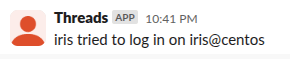
- If not, it sends an alert saying, “user tried to log in on user@server”
2. SSH Session (handle_ssh)
- When a user starts an SSH session (remote login), Watchdog notices.
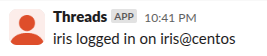
- It logs the event and sends a simple report: “User X logged in on user@server”
3. Sudo Use (handle_sudo)
- When someone uses
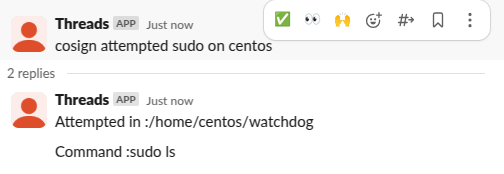
sudoto run admin commands, Watchdog tracks it. - It logs the user’s name and the folder they were in, and also, the command they used, in a thread.
- Then it sends a message: “user attempted sudo on server”.
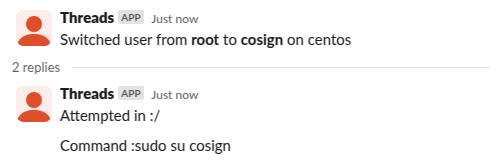
4. Su Command (handle_su)
- When a user switches to another user using
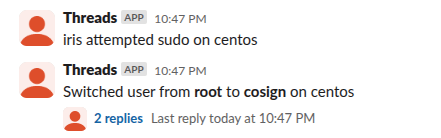
su, Watchdog catches that too. - It tracks who switched to whom.
- Then it sends a simple message: “User A switched to user B.”
How does it work?
- It uses environment variables like
PAM_USER,PAM_TYPE, andPAM_RUSERto know who did what. - It reads some settings from a config file.
- It uses a notifier to send simple messages (like alerts).
- It uses forking to run some tasks in the background without blocking other processes.